DevtronTech Blog

Insights into Software, Electronics, and GeoSpatial Engineering

Visualizing GeoJSON Data on the Web using JavaScript GeoSpatial

Visualizing GeoJSON Data on the Web using JavaScript

Bringing Data to Life

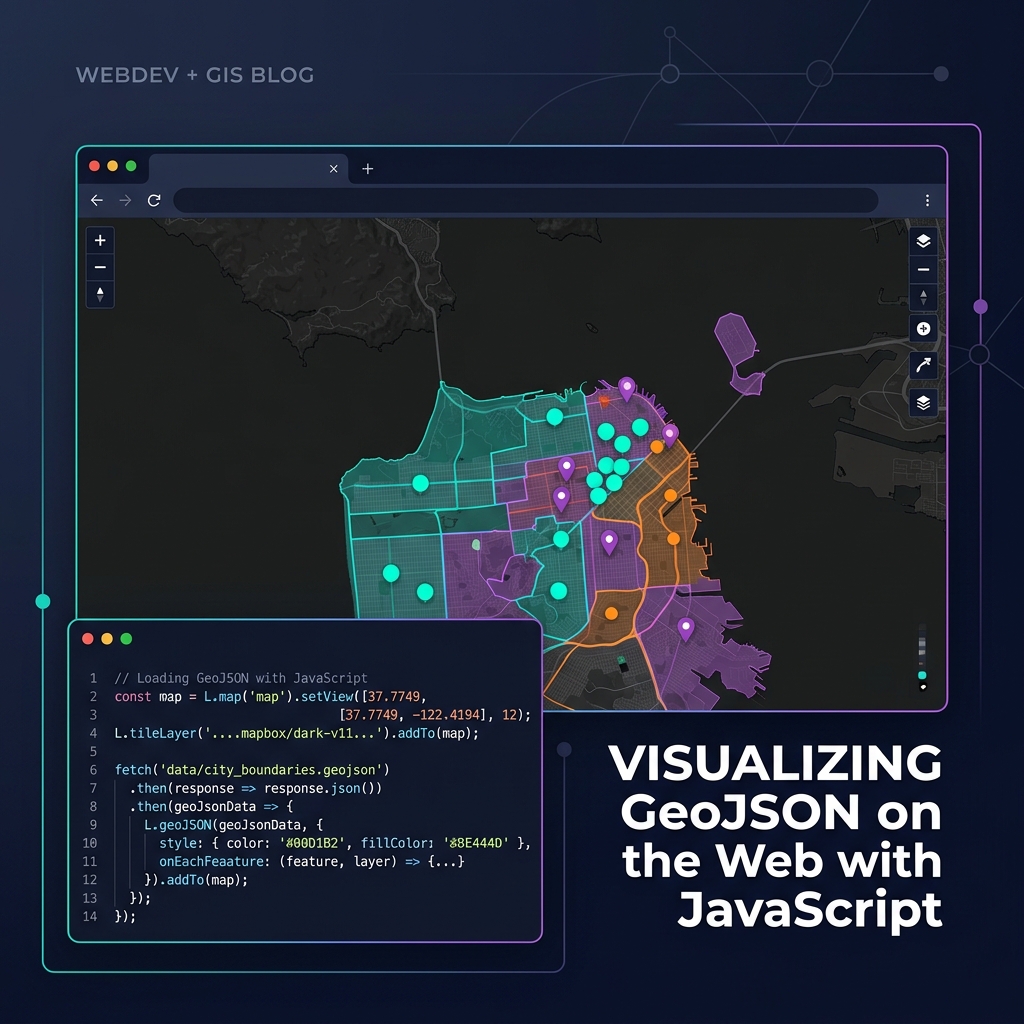
Once you have your geographic data in GeoJSON format, rendering it beautifully in the browser is straightforward thanks to modern mapping libraries.

Choosing a Library

  • Leaflet.js: Lightweight, easy to learn, perfect for simple maps and smaller GeoJSON datasets (under 10,000 features). Uses DOM elements (SVG/Canvas) to render.
  • MapLibre GL JS / Mapbox GL JS: WebGL-accelerated. Incredibly fast, capable of rendering millions of points smoothly. Requires data to be styled using layers and sources rather than iterating over arrays.

A Simple MapLibre Implementation

Here is how you add a GeoJSON source and a polygon layer using MapLibre:

const map = new maplibregl.Map({
    container: 'map', // HTML div id
    style: 'https://demotiles.maplibre.org/style.json',
    center: [-74.006, 40.712], // Longitude, Latitude
    zoom: 10
});

map.on('load', () => {
    // 1. Add the GeoJSON as a data source
    map.addSource('my-data', {
        'type': 'geojson',
        'data': 'https://example.com/data.json'
    });

    // 2. Add a visual layer connected to the source
    map.addLayer({
        'id': 'polygons-fill',
        'type': 'fill',
        'source': 'my-data',
        'paint': {
            'fill-color': '#088',
            'fill-opacity': 0.6
        }
    });
});

For large datasets, always consider converting your GeoJSON into Vector Tiles (e.g., using Tippecanoe) before serving them to the client!

Read More
How to Process and Convert Large Shapefiles Efficiently in Node.js GeoSpatial

How to Process and Convert Large Shapefiles Efficiently in Node.js

Handling Big Data in Node.js

Converting a small Shapefile to GeoJSON is easy. But what happens when a user uploads a 500MB zipped Shapefile with millions of polygons? Loading it all into memory with JSON.parse() will cause V8 to throw a FATAL ERROR: Ineffective mark-compacts near heap limit Allocation failed - JavaScript heap out of memory.

The Solution: Streaming

To process massive geospatial datasets in Node.js, you must use streams. Instead of loading the entire file, you read it chunk by chunk.

Step-by-step Approach

  1. Unzip using streams: Use libraries like unzipper or yauzl to extract the .shp and .dbf files without loading the zip into memory.
  2. Stream the Shapefile: Use the shapefile npm package. Its open() method returns a reader that you can iterate over asynchronously.
  3. Write to disk incrementally: Don't build a massive JavaScript array. Instead, open a fs.createWriteStream and write the GeoJSON structure manually, streaming each feature into the file.
import shapefile from 'shapefile';
import fs from 'fs';

async function streamToGeoJSON(shpPath) {
    const outStream = fs.createWriteStream('out.json');
    outStream.write('{"type":"FeatureCollection","features":[');
    
    let first = true;
    const source = await shapefile.open(shpPath);
    
    while(true) {
        const result = await source.read();
        if (result.done) break;
        
        if (!first) outStream.write(',');
        outStream.write(JSON.stringify(result.value));
        first = false;
    }
    
    outStream.write(']}');
    outStream.end();
}

This approach uses almost zero RAM, allowing Node.js to process Gigabyte-sized maps efficiently.

Read More
Demystifying Coordinate Reference Systems: EPSG:4326 vs EPSG:3857 GeoSpatial

Demystifying Coordinate Reference Systems: EPSG:4326 vs EPSG:3857

Why is my map rendering in the ocean?

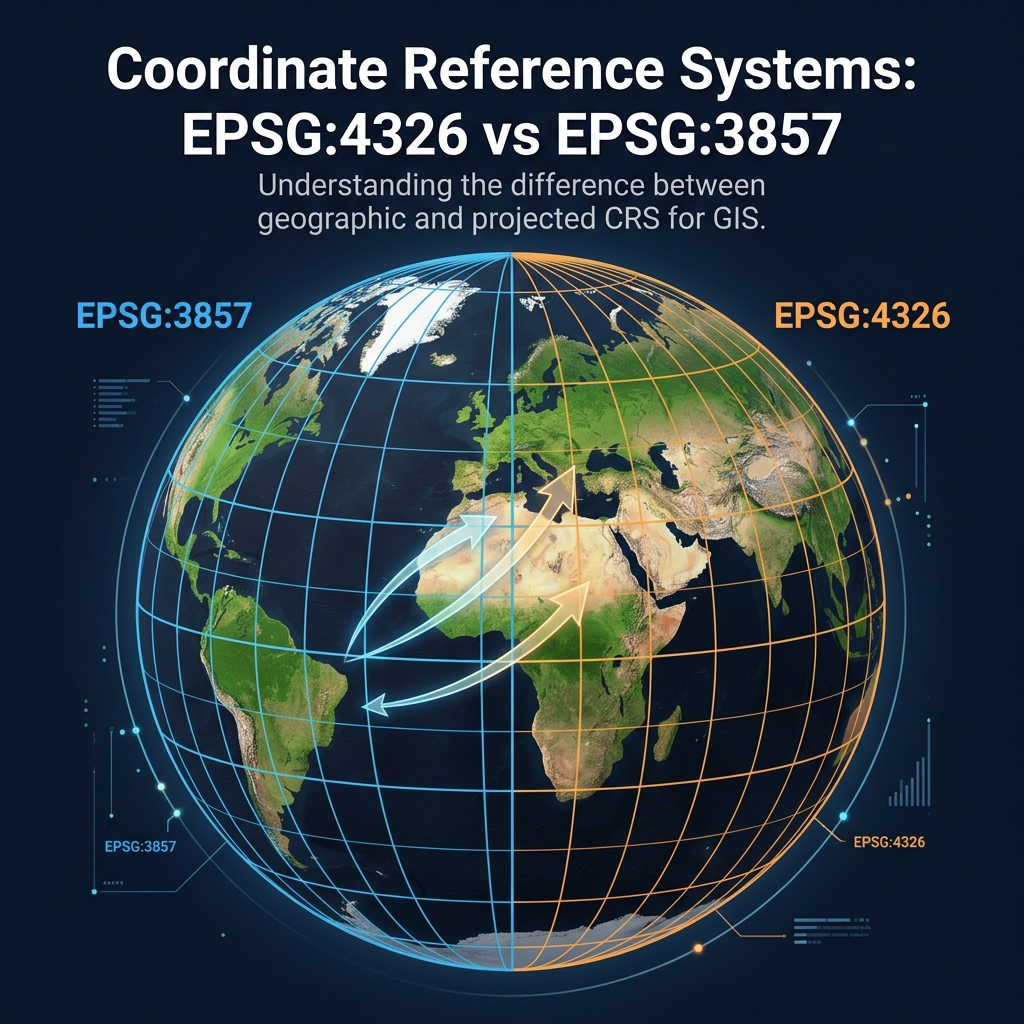
If you've ever plotted data on a map and found your points ending up off the coast of Africa (Null Island), you have encountered a Coordinate Reference System (CRS) mismatch. The two most important EPSG codes for web developers are EPSG:4326 and EPSG:3857.

EPSG:4326 (WGS 84)

This is the geographic coordinate system used by GPS. It represents locations using Latitude and Longitude degrees on a 3D model of the Earth (a datum).

  • Units: Degrees.
  • Example: London is [51.5074° N, 0.1278° W].
  • Use Case: Storing data in databases, GeoJSON, and capturing GPS coordinates.

EPSG:3857 (Web Mercator)

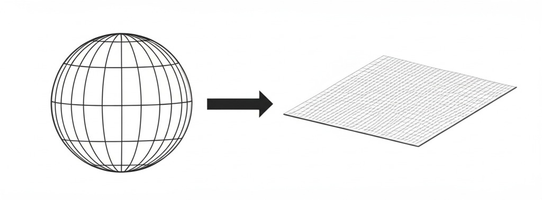
This is a projected coordinate system used by almost all web mapping libraries (Google Maps, OpenStreetMap, Mapbox). It takes the 3D globe and flattens it onto a 2D square. Because it's a square, it severely distorts the poles (which is why Greenland looks as big as Africa on Google Maps).

  • Units: Meters.
  • Example: London is roughly [6711514m North, 14224m West].
  • Use Case: Rendering map tiles on a flat screen.

The Golden Rule of Web Mapping

Store your data in EPSG:4326. Render your maps in EPSG:3857.

Most mapping libraries (like Leaflet or Mapbox GL JS) will automatically project your EPSG:4326 GeoJSON data into EPSG:3857 for rendering on the screen. However, if you are generating raw vector tiles on a backend server, you must mathematically project the geometries yourself using tools like proj4js or GDAL.

Read More
Shapefile vs. GeoJSON: A Developer's Guide to GIS Formats GeoSpatial

Shapefile vs. GeoJSON: A Developer's Guide to GIS Formats

The Tale of Two Formats

In the world of GIS (Geographic Information Systems) and web mapping, developers constantly encounter two dominant formats: the legacy Shapefile and the modern GeoJSON. Here is how they compare.

The ESRI Shapefile

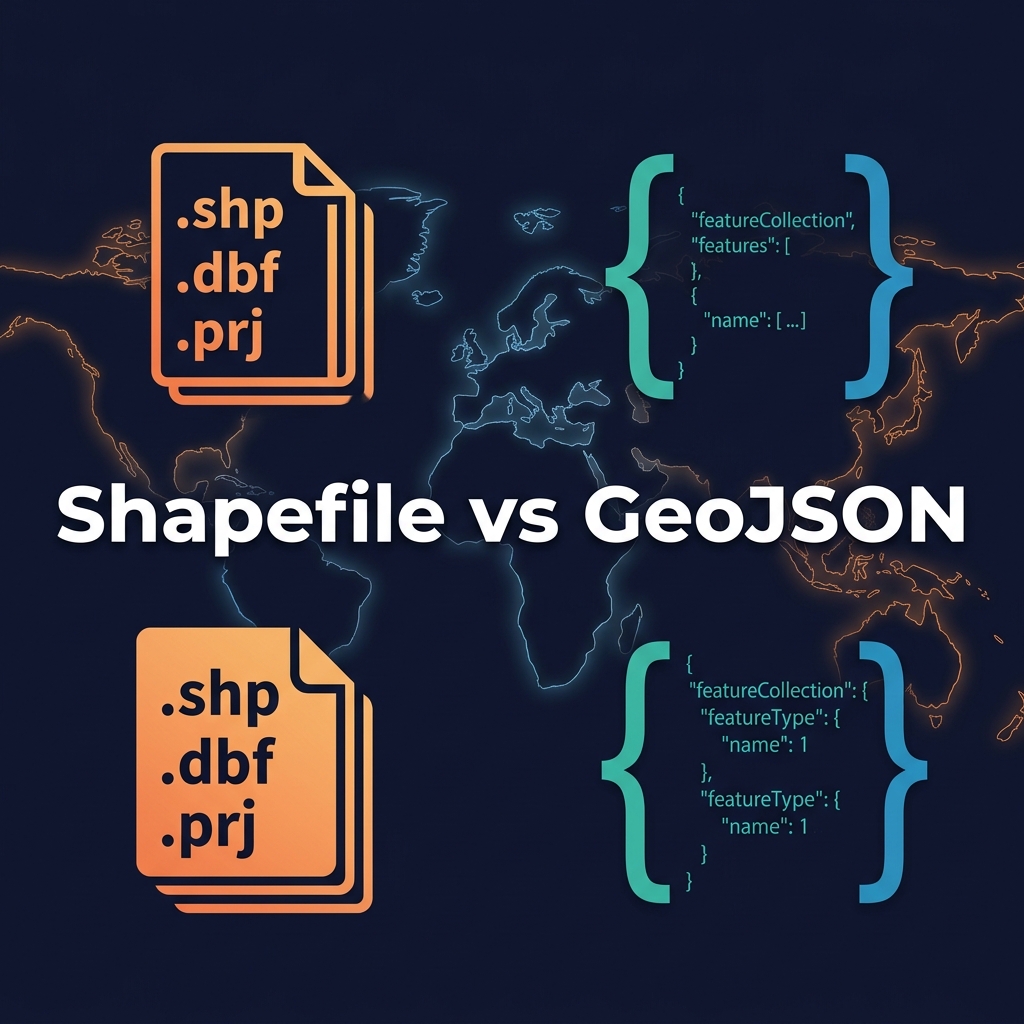
Created by ESRI in the 1990s, the "Shapefile" is not actually a single file. It is a mandatory collection of at least three files:

  • .shp: Contains the geometry data (points, lines, polygons).
  • .shx: The index file.
  • .dbf: A dBase database file containing the attribute data (properties).
  • .prj: (Optional but critical) Defines the coordinate system.

Pros: Supported by literally every desktop GIS software. Extremely fast to read sequentially.
Cons: Cannot hold multiple geometry types in one file. File size limits (2GB). Annoying to transfer over the web because it requires zipping multiple files.

GeoJSON

GeoJSON is an open standard format designed for representing simple geographical features using JSON (JavaScript Object Notation).

Pros: Human-readable. A single text file. Natively supported by web browsers, JavaScript mapping libraries (Leaflet, Mapbox), and NoSQL databases like MongoDB and Postgres/PostGIS.
Cons: File sizes can become massive compared to binary formats, making them slow to parse if not simplified or served via vector tiles.

The Verdict

Use Shapefiles when storing raw data, archiving, or working in desktop tools like QGIS or ArcGIS. Convert to GeoJSON when you need to transmit data via a REST API or render it on a web map.

Read More
Coordinate systems in GeoSpatial Data Processing<br> GeoSpatial

Coordinate systems in GeoSpatial Data Processing

The Foundation of Web Mapping

When working with geospatial data for web applications or GIS, understanding coordinate reference systems (CRS) is non-negotiable. The two most common and critical formats you will encounter are EPSG:4326 and EPSG:3857.

EPSG:4326 (WGS 84)

This is the standard used by GPS devices and Google Earth. It represents the earth as a 3D ellipsoid and uses Latitude and Longitude degrees. GeoJSON files strictly require coordinates to be in EPSG:4326.

EPSG:3857 (Web Mercator)

This is a 2D projected coordinate system used for rendering maps on flat screens. Services like Google Maps, OpenStreetMap, and Mapbox use this projection. Coordinates are in meters (X and Y).

Data Processing Pipeline

A standard spatial pipeline often involves storing or transmitting data in EPSG:4326 (lat/lon), but projecting it to EPSG:3857 on the fly when rendering map tiles or doing 2D distance calculations!

Read More
GeoSpatial Data Formats GeoSpatial

GeoSpatial Data Formats

Navigating Spatial Data Structures

Two major types of geospatial data formats dominate the GIS and web mapping industry: Shapefiles and GeoJSON.

The Shapefile (.shp)

Developed by ESRI, the Shapefile is the legacy workhorse of the GIS world. Despite the singular name, a "shapefile" is actually a collection of at least three mandatory files: .shp (geometry), .shx (index), and .dbf (attributes). While incredibly widespread, it has major limitations: column names are restricted to 10 characters, and maximum file sizes are capped at 2GB.

GeoJSON

GeoJSON is the modern standard for web-based mapping. It is an open-standard format designed for representing simple geographical features along with their non-spatial attributes using JSON syntax. Because it is pure text and easily parseable by JavaScript, it is the native language of mapping libraries like Leaflet, Mapbox, and OpenLayers. However, for massive datasets, GeoJSON can become bloated and slow to parse, where binary formats like FlatGeobuf or GeoParquet take over.

Read More